Remove a Sprite Sheet Background, Then Trim and Pad It
Make a sprite sheet with a pink or green background transparent, cut it into frames, then trim the empty space and add padding and extrusion so frames never bleed into each other in your game. Free, in your browser.
Chapters
After the video
- Edge connected removal only clears background pixels joined to the outside of the image, which is why a pink highlight inside the sprite survives. The other mode clears that color everywhere, so keep it for sheets where the color appears nowhere in the art.
- Tolerance goes from 0 to 120. Higher is not automatically better: past a point it starts eating into the outline, which is why the video raises it a little at a time against the checkerboard.
- Export and Download allows up to 32 pixels of padding and 16 of extrusion, but the video uses a pixel or two of each, which keeps the sheet small.
If a colored fringe is still left around the sprite, the remove a sprite background guide explains where halos come from and what soft edges change. For what trim, padding and extrusion do inside each export format, read export formats explained.
Transcript
0:00 Sprite sheet stuck on a pink or green background? Here's how to make it transparent and ready for your engine, free, in your browser.
0:09 Open Background Removal on spritepilot.com and drop in your sheet.
0:15 Click the background color. Edge connected removal clears the outside and keeps matching colors inside your sprite safe. Raise the tolerance a little at a time, and watch the outlines on the checkerboard.
0:30 Happy with it? Send it to the Sprite Sheet Cutter to split it into frames.
0:36 Now open Export and Download. Trim transparency cuts the empty space around each sprite. Add a pixel or two of padding and extrusion, so neighboring frames never bleed into each other in your game.
0:51 Pick your format, like SpriteFrames for Godot or a texture atlas for Phaser, and download.
0:59 That's it. Clean edges, a tight sheet, no seams.
More video tutorials
 Sprite sheet toolsHow to Cut a Sprite Sheet Into Separate Sprites
 Sprite sheet toolsGIF or Video to Sprite Sheet in Under a Minute
 Free assetsFree Game Assets: Sound Effects, Pixel Font and Parallax Backgrounds
 Sprite sheet toolsMake a Sprite Sheet From Separate Images
 Game artDraw and Animate Pixel Art in Your Browser
 Sprite sheet toolsPreview a Sprite Sheet Animation and Turn It Into a GIF
 Game artBuild a Tile Map in Your Browser
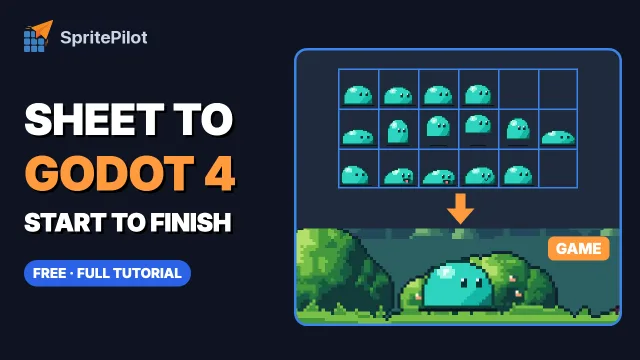 Sprite sheet toolsSprite Sheet to Godot 4 Animation, Start to Finish
 Sprite sheet toolsSprite Sheet to Unity 6 Animation, Start to Finish